
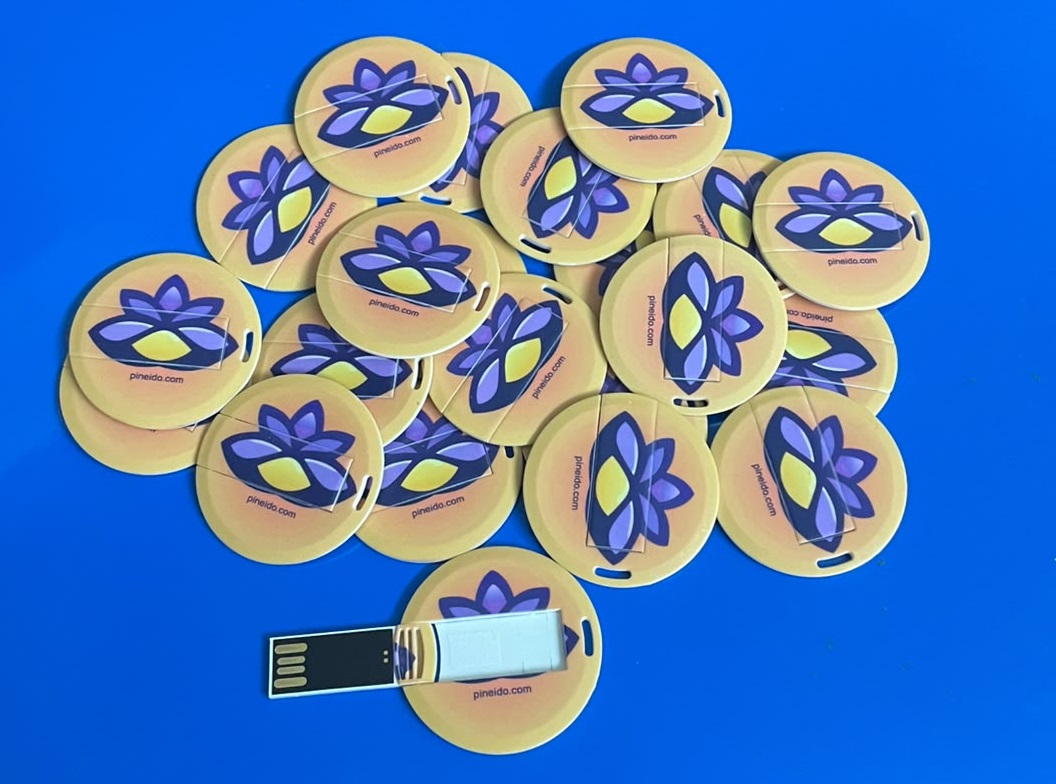
Pineido Studio: a complete AI brain app on a USB stick

A complete AI brain app that can run multiple compatible models in one workspace, using your computer's hardware. The physical USB stick carries the application. No AI models are included or preinstalled; choose and download them separately.

Pineido Studio brings multiple compatible models into one AI brain and workspace: conversations, a coding agent, research over your documents, and image understanding with a compatible model. Previously called Pocket AI, it is the application that connects these workflows.

What Pineido Studio can do

What the app does on your own computer, with the models you download.

One brain across every model

Ask for a result, not a tool. The brain plans the steps, calls the right model for each one and hands every output to the next: words, pictures, documents and files in one chat.

Words and documents

  • Chat with local models

    Talk to open-weight language models that run on your own computer. Pick from a large catalogue inside the app; nothing you type leaves the machine.

  • Documents

    Read PDF, Word, Excel and more; write reports, letters and spreadsheets; convert between formats, merge and split PDFs.

  • Translation

    Translate text and documents between languages without sending a word to an online service.

  • Memory that stays yours

    It remembers what you tell it to remember, across chats, in a store on your machine that you can read and erase.

Pictures and video

  • Pictures

    Make pictures from a description, in styles you add. Change the ones you have from a sentence: restyle them, add or remove things, change colours. Then crop, resize, convert or make a collage.

  • Sight and OCR

    Describe a picture, read the text in a scan or a photo, and turn a scanned PDF into a searchable one.

  • Video from a description

    Describe a scene and get a short clip, made by a video model on your own machine.

On your computer

  • Your files, searchable

    Point it at your folders and ask questions across them. Answers come from your own documents, on your own disk.

  • More than 700 built-in tools

    Convert, compress, trim, extract, rename and organise: media, archives, images and office files, all done on your own computer.

  • Your desktop, when you allow it

    Save results straight to your desktop and folders. Switch on desktop control and it can look at the screen and click, type and open apps for you.

  • Connect your own tools

    Add tools from local MCP servers, or switch on the local control API so a hotkey or a script on this computer can ask it. Both are off by default and never reachable from the internet.

One AI brain, multiple compatible models

Use Pineido Studio to draft and revise text, ask questions about documents, and work on code in your local workspace. Agent tools can read and change files; review the work before relying on it. Research answers include sources you can check. Image understanding requires a compatible vision model. Available capabilities depend on the models and tools installed, and AI output can be wrong.

Choose models, download once, then work offline

No AI models are included or preinstalled. Pineido Studio ships as the complete AI brain application, ready for you to add compatible models. Connect to the internet to choose and download models from their publishers. Models are stored on your computer by default, unless you choose the USB as their storage location. Once the models and required components are installed, supported local workflows can run offline. Available models and performance depend on your hardware and runtime compatibility.

The USB carries the app. Your computer does the work.

Pineido Studio uses your computer’s CPU, GPU and memory; the USB does not add computing power. Select models that fit your available RAM, GPU memory and storage, leaving room for the operating system and context. Larger models and longer conversations need more memory. The Windows application is the current local build. Ask us to confirm the package for your operating system and hardware before ordering; macOS and Linux require their own platform builds.

Local processing, with explicit online choices

Local inference keeps prompts and model processing on your computer. Optional web or cloud features communicate with the providers you enable, and an update check runs while Web is on. Pineido Studio stores local chats, settings and diagnostic logs; logs can include message excerpts and file paths. Models and some support files can remain on the host computer. The optional drive lock is not whole-drive encryption. Read the product privacy policy for storage, online features and deletion details.

What makes this different

  • No Pineido account is required to run the local assistant.
  • Optional online features are separate from local inference.

Order Pineido Studio

Send the request and we reply by email with delivery and payment. Nothing is paid on this page.

  • $20
  • A physical USB stick
  • Delivery in North Macedonia first

Got it.

We have your order request. We will reply to your email with the price, delivery and payment.

Send another request

Checking that you're human. You can send in a moment.

Frequently asked questions

Is Pineido Studio the same product as Pocket AI?

Yes. Pineido Studio is the current name of the Pineido product previously called Pocket AI. This is its official Pineido product page.

How much does Pineido Studio cost, and how do I buy it?

Pineido Studio costs $20 and comes as a physical USB stick. Send the order request on this page and we reply by email with delivery and payment. Orders open for delivery in North Macedonia first. This page does not process payments. Optional third-party online services may charge separately.

Does Pineido Studio work without internet?

Yes, for local inference after setup. First download the models and components you need from their publishers. You can then use installed local models offline. Web access, cloud models, updates and new model downloads need internet. Models are normally stored on your computer unless you choose to store them on the device.

Does the USB run the AI, or does my computer?

Your computer runs the AI. The USB carries the application, while your CPU, GPU and memory determine which models run and how fast. It does not turn a low-memory computer into a high-end AI workstation. Write to us with your operating system, RAM and GPU and we will tell you which model sizes fit.

Does Pineido Studio send my conversations to Pineido?

The local assistant does not send your conversations to Pineido. Online features you enable communicate with their respective providers, and Web mode permits an update check. Local diagnostic logs can contain message excerpts and file paths, and some data remains on the host computer. The product privacy policy explains these details and the scope of the optional drive lock.

Is Pineido Studio an offline version of ChatGPT?

No. Pineido Studio is Pineido’s own local AI application that uses models you install. It can provide familiar chat, writing, coding and document workflows on your hardware. Model capability, memory requirements and speed vary; it is not the ChatGPT service and does not promise identical results.

Does Pineido Studio include AI models, and can it run more than one?

Pineido Studio does not ship with any AI models. It is a complete AI brain application that can run multiple compatible models within one workspace. You choose and download the models separately. Your computer supplies the processing power and memory, so model compatibility and hardware capacity determine what you can run.

ByFounder and Imaginator

Pineido, based in Strumica, North Macedonia, is a software company that builds websites, online shops, web and mobile apps, business automation and AI for companies at home and abroad. Work ships in 30-day sprints at a fixed price, and the client owns the code.

Published Updated